Import and Store data
Pandas Introduction
Jan Kirenz
Import pandas
To load the pandas package and start working with it, import the package.
The community agreed alias for pandas is
pd
Create Data
Create a DataFrame
- To manually store data in a table, create a DataFrame:
Show data with head()
| name | height | weight | id | city | |
|---|---|---|---|---|---|
| 0 | Tom | 1.68 | 48.4 | 1 | Stuttgart |
| 1 | Lisa | 1.93 | 89.8 | 2 | Stuttgart |
| 2 | Peter | 1.72 | 84.2 | 3 | Berlin |
Import data with .read()
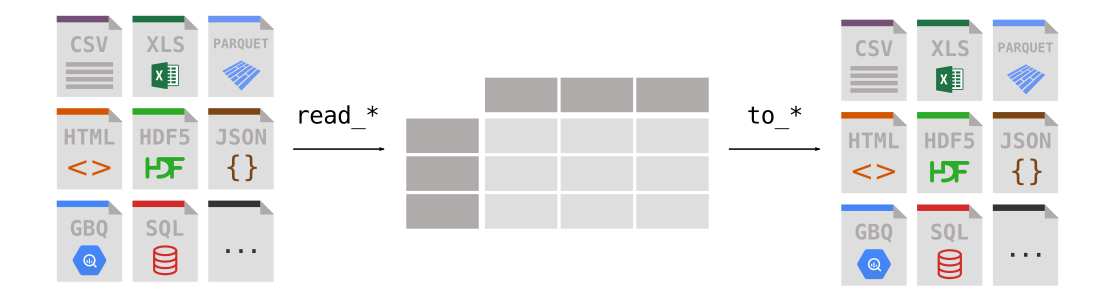
- Import data with the prefix
.read_*
Import data from GitHub
- Import a CSV file in a GitHub repo
| age | city | income | membership_days | campaign_engagement | target | |
|---|---|---|---|---|---|---|
| 0 | 56 | Berlin | 136748 | 837 | 3 | 1 |
| 1 | 46 | Stuttgart | 25287 | 615 | 8 | 0 |
| 2 | 32 | Berlin | 146593 | 2100 | 3 | 0 |
| 3 | 60 | Berlin | 54387 | 2544 | 0 | 0 |
| 4 | 25 | Berlin | 28512 | 138 | 6 | 0 |
Store data with .to()
- Store data with the prefix
.to_*
Viewing data
Data overview
| name | height | weight | id | city | |
|---|---|---|---|---|---|
| 0 | Tom | 1.68 | 48.4 | 1 | Stuttgart |
| 1 | Lisa | 1.93 | 89.8 | 2 | Stuttgart |
| 2 | Peter | 1.72 | 84.2 | 3 | Berlin |
Head and tail
| name | height | weight | id | city | |
|---|---|---|---|---|---|
| 0 | Tom | 1.68 | 48.4 | 1 | Stuttgart |
| 1 | Lisa | 1.93 | 89.8 | 2 | Stuttgart |
Info
- The
info()method prints information about a DataFrame.
<class 'pandas.core.frame.DataFrame'>
RangeIndex: 3 entries, 0 to 2
Data columns (total 5 columns):
 #   Column  Non-Null Count  Dtype
---  ------  --------------  -----
 0   name    3 non-null      object
 1   height  3 non-null      float64
 2   weight  3 non-null      float64
 3   id      3 non-null      int64
 4   city    3 non-null      object
dtypes: float64(2), int64(1), object(2)
memory usage: 252.0+ bytes
Show column names
Index(['name', 'height', 'weight', 'id', 'city'], dtype='object')Show data types
- Show data types (dtypes).
Show index
RangeIndex(start=0, stop=3, step=1)What’s next?
Congratulations! You have completed this tutorial 👍
Next, you may want to go back to the lab’s website
Jan Kirenz